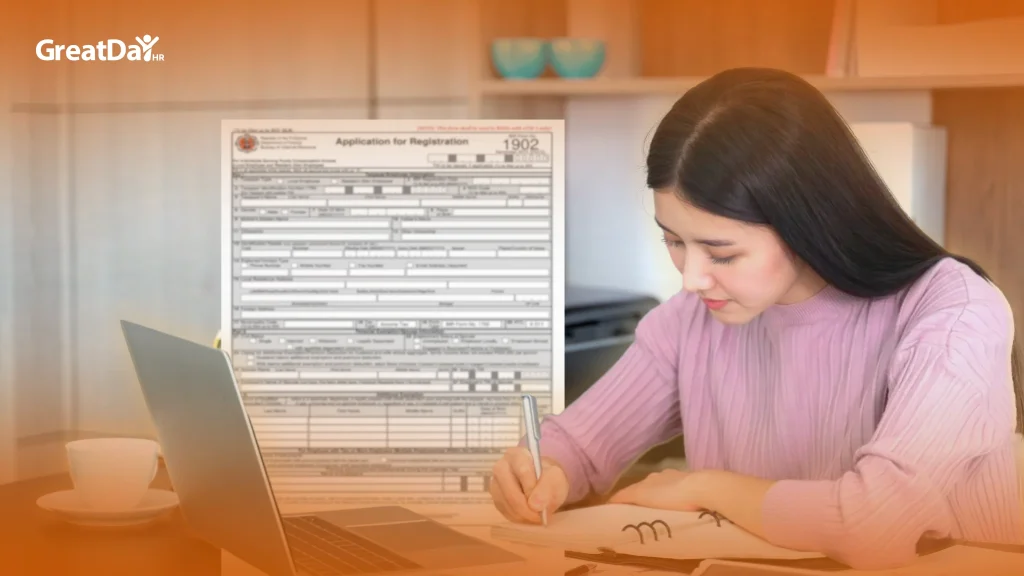
1. Introduction to the SSS and Online Access
The Social Security System (SSS) provides social security protection to private sector employees, self-employed individuals, and voluntary members in the Philippines. Through the SSS Online Portal, members can register, monitor contributions, apply for benefits, and access loans conveniently from anywhere.
This guide provides a comprehensive overview of SSS online registration, including step-by-step instructions, eligibility, and features to help members manage their accounts effectively.
2. Who Should Register
All eligible Filipinos should register to access SSS services:
- Employed members (private or government)
- Self-employed/voluntary members (freelancers, professionals, business owners)
- OFWs (Overseas Filipino Workers)
- Non-working spouses of active members
- Retirees and lifetime members
3. Types of SSS Membership
| Membership Type | Description |
| Employed | Contributions shared by employer and employee |
| Self-Employed / Voluntary | Individual pays full contributions |
| OFWs | Contributions paid before deployment abroad |
| Non-Working Spouse | Optional coverage under active spouse |
| Lifetime / Retiree Members | Retirees with 120+ contributions |
4. Requirements for Online Registration
Before registering, make sure you have:
- SSS number (if already issued)
- Valid government-issued ID
- Active email address
- Mobile phone number
- Employer information (if employed)
5. Step-by-Step Online Registration Process
Step 1: Access the SSS Online Portal
Visit the official SSS website and select “Member Registration”.
Step 2: Complete the Registration Form
Enter personal information including:
- Full name
- Date of birth
- Address and contact details
- Employment type and employer (if applicable)
Step 3: Create Your Account
Set a username and password and choose security questions for account recovery.
Step 4: Submit Your Registration
Click Submit and check your email for a confirmation message containing an activation link.
Step 5: Activate Your Account
Click the link in the email to activate your SSS online account.
Step 6: Access Your SSS Account
You will now have access to SSS e-services, including contributions, loans, and benefits management.
6. Key Features of the SSS Online Portal
Once registered, members can:
- Check contributions – view total and monthly contributions
- Apply for loans – salary, emergency, and calamity loans
- Claim benefits – sickness, maternity, retirement, and death benefits
- Update membership info – personal, employment, or dependent details
- Download forms – PRNs, certificates, and other official documents
7. Paying SSS Contributions Online
Members can pay contributions via:
- Employer payroll deductions
- Banks and accredited payment centers
- E-wallets like GCash or Maya
- Overseas remittance partners (for OFWs)
Use a Payment Reference Number (PRN) to ensure secure and traceable payments.
8. Retrieving a Lost SSS Number
To recover a lost SSS number:
- Visit a nearby SSS branch with a valid ID
- Email member_relations@sss.gov.ph
- Call the SSS hotline (02) 8920-6401
- Use the online account recovery tool on the SSS portal
9. Common Issues and Solutions
| Issue | Cause | Solution |
| Login issues | Forgotten password | Use “Forgot Password” link |
| Duplicate accounts | Previous offline registration | Contact SSS for consolidation |
| Missing contributions | Employer delay | Follow up with employer or SSS |
| Incorrect info | Typographical errors | Update via portal or submit forms at branch |
10. Suggested Workflow: SSS Online Portal

11. Benefits of SSS Online Registration
- Convenient access to contributions, benefits, and loan applications
- 24/7 availability without visiting SSS branches
- Real-time updates on contributions and membership records
- Secure login and password-protected access
- Simplified management for self-employed and voluntary members
12. Streamline SSS and Payroll Compliance with GreatDayHR
Managing SSS contributions, payroll deductions, and statutory compliance can be complex. GreatDayHR offers integrated solutions to simplify these processes.
With GreatDayHR’s managed payroll service, organizations can:
- Automate SSS, PhilHealth, and Pag-IBIG deductions
- Track contributions and remittances accurately
- Generate compliance reports for audits and government submissions
- Reduce errors and save HR processing time
- Integrate payroll, benefits, and employee records in one platform